
TikTok Cover Image Size: The Right Dimensions and Safe Zones
Learn the right TikTok cover image size, where TikTok crops your cover on the grid and in the feed, and a simple workflow for clean, readable covers.
Bento Team · October 23, 2026
TL;DR
- Make TikTok covers on the same vertical canvas as your video.
- Keep your title and subject centered because the grid trims the top and bottom.
- Leave the bottom and right side clear of text since the caption and buttons sit there.
- Export a clean file and preview it on your phone and profile grid.
Your TikTok cover is the first thing people see when they land on your profile, scroll search results, or tap a link someone shared. Getting the cover image size right keeps your title readable and your subject in frame, so the work you put into the video actually shows. This guide covers the size to use, where TikTok crops your cover, and a simple workflow for making covers that look intentional every time you post.
The right TikTok cover image size
The TikTok thumbnail size is 1080 by 1920 pixels at a 9:16 ratio, the exact same dimensions as the video.
You can upload a custom cover as a JPG or PNG, in sRGB, under 5 MB, or pick a frame from your timeline.
The recommended image size for TikTok is 1080 by 1920 pixels at 9:16, used for carousels, and uploading at this size helps avoid cropping and limit compression.
In practice, that means you can design your cover on the same vertical canvas you use for the video itself. TikTok is built for phones, so a full screen vertical frame is the shape that fits the app without stretching or letterboxing.
Where TikTok covers actually matter
Your cover does close to nothing for For You feed reach, because the For You feed doesn't autoplay your thumbnail, it plays the video. The cover earns its keep in three places: your profile grid, search, and off platform, where a video shared to other apps uses the cover as its thumbnail.
That shapes how you should think about design. A cover is less about chasing reach and more about helping the people who find you on purpose understand what each video offers. When your grid looks consistent, a new visitor can scan your topics in seconds and pick the next video to watch.
How TikTok crops your cover
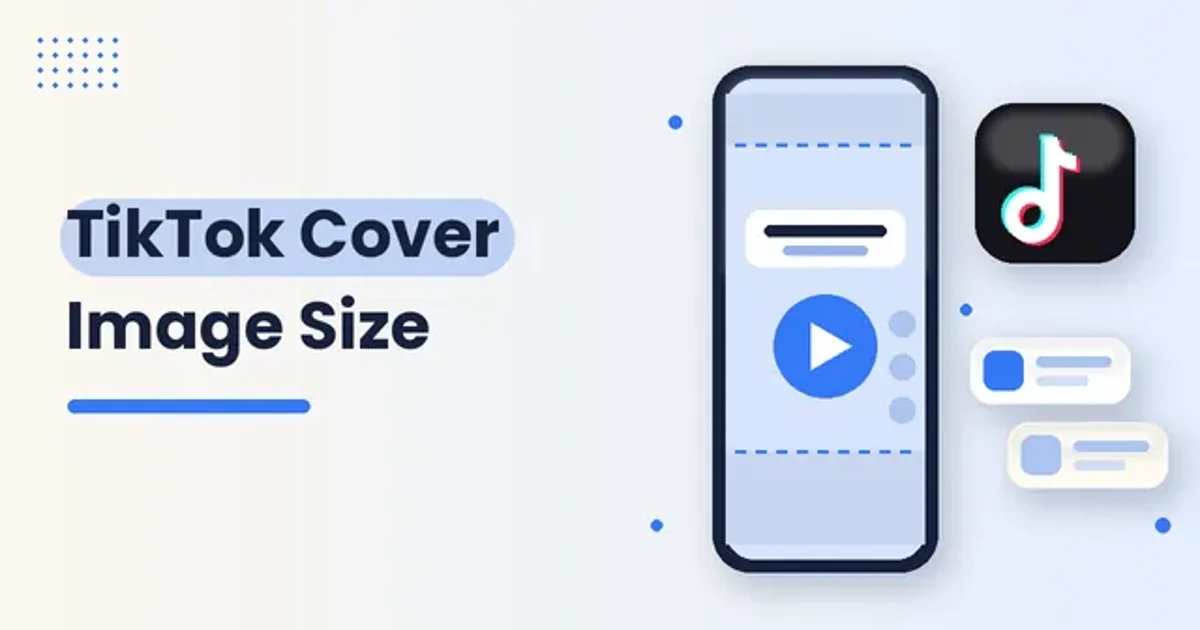
The profile grid crops your 9:16 cover to a narrower vertical rectangle of roughly 3:4, trimming the top and bottom edges.
TikTok lays the first line of your caption across the bottom of the cover, so keep your key text and subject centered, since anything near the edges may get cut on the grid.
The video works the same way. TikTok overlays the caption, username, and action buttons on top of your video, so content that is not sized for the vertical frame gets cropped or pushed behind the interface. Keep captions and key visuals centered, away from the right side buttons and the bottom bar.
| Cover area | What happens there | What to put there |
|---|---|---|
| Center | Survives the grid crop and the feed view | Your title and main subject |
| Top edge | Trimmed on the grid and near the username | Background only |
| Bottom edge | Covered by the caption line and buttons | Background only |
| Right side | Sits under the action buttons in the feed | Nothing important |
Quality settings that keep covers sharp
A cover uploaded below 1080 by 1920 pixels, or in the wrong color profile, comes out soft and muddy.
Pixel dimensions are only half the story. Aspect ratio controls how a platform frames your image, while resolution affects sharpness after compression, so keep important text and logos away from the edges and export a clean PNG for graphics.
It also helps to start with a clean source. Avoid repeatedly compressing the file before upload, keep key content centered because interface controls and captions occupy space near the edges, and preview text, subtitles, and overlays on a phone before publishing.
A workflow for making TikTok covers
Use this workflow each time you post. It keeps covers consistent without turning every upload into a design project.
- Pick a cover style for each content series, such as a clean photo, a bold title card, or a strong frame from the video.
- Build the cover on a full vertical canvas that matches your video so nothing gets stretched or letterboxed.
- Place the title and subject in the center, leaving the top, bottom, and right side free of anything important.
- Use short, high contrast text that reads at a glance on a small phone screen.
- Export a clean file in the right color profile instead of a screenshot or a recompressed copy.
- Preview the cover on your phone, then check how it looks on your profile grid after the post goes live.
You set the cover during posting by tapping the cover at the top of the screen and choosing Select Cover, then uploading a custom cover or picking a frame from your timeline.
Common mistakes to avoid
Common mistakes include uploading horizontal video, which appears small and gets letterboxed, placing text where the caption and buttons sit so it gets hidden, and using different aspect ratios across carousel slides, which causes uneven cropping.
Another mistake is treating every cover as a one off. A random frame caught mid blink looks careless next to designed covers, and a grid with no visual pattern makes it harder for visitors to understand what your account is about. Pick a few templates and reuse them so each series is easy to spot.
Studying covers that work
Looking at strong covers from other creators is one of the fastest ways to improve your own. Save examples from accounts in your niche, compare how they handle text placement and contrast, and notice which styles stay readable after the grid crop. The Bento TikTok cover downloader lets you grab a cover image so you can study it side by side with your drafts. Use examples for reference and inspiration, not as artwork to repost.
Where Bento fits
A great cover helps people choose your video, and a steady posting rhythm keeps them coming back. Bento brings social scheduling, your link in bio page, and your store into one creator workspace, so you can plan TikTok posts alongside the rest of your content and send viewers somewhere useful after they watch. Bento is also available as an open source, self hosted edition, while hosted Bento is a paid service that starts with a 3-day trial of the plan you pick, and there is no charge if you cancel before the trial ends.